Fleets Manager
A dispatch web app and a driver app for a small fleet business in the Philippines.
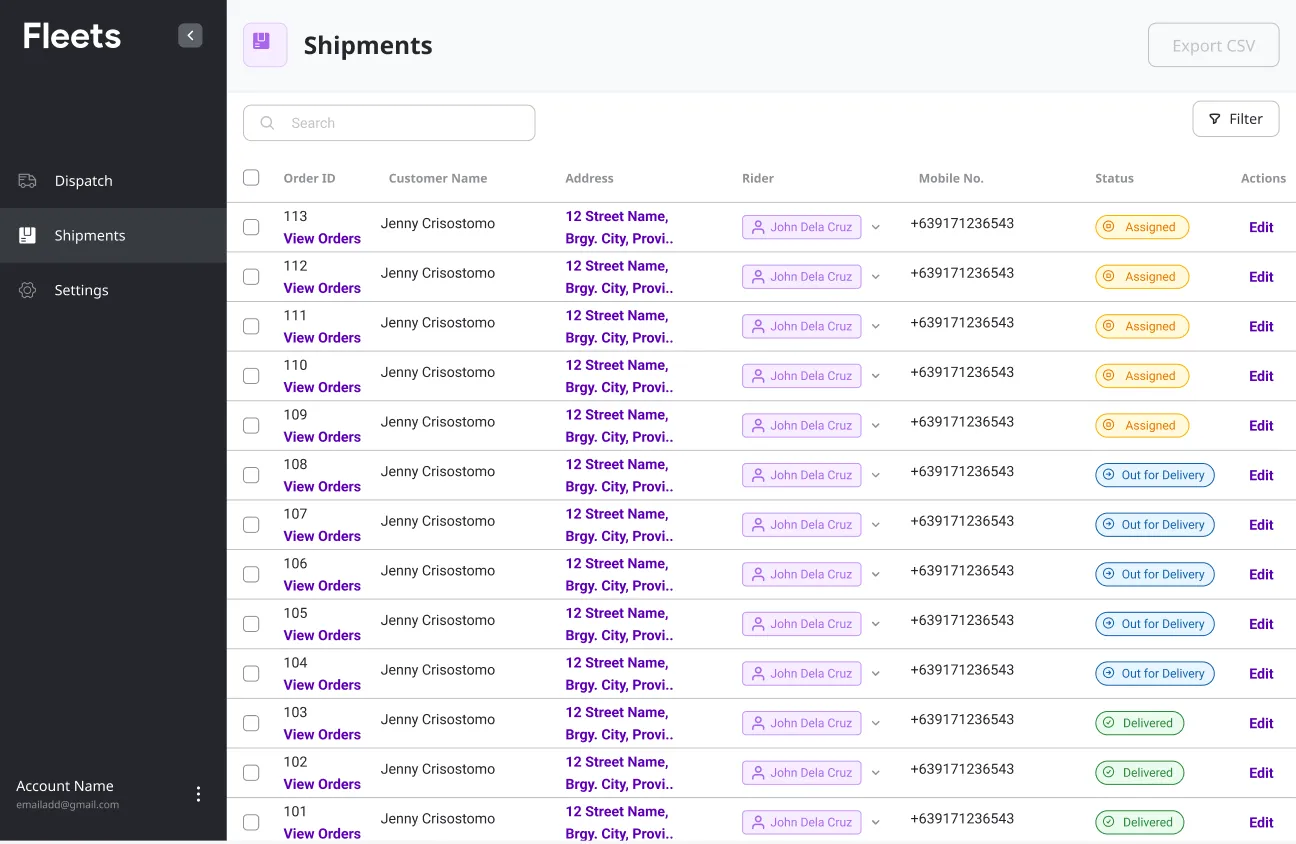
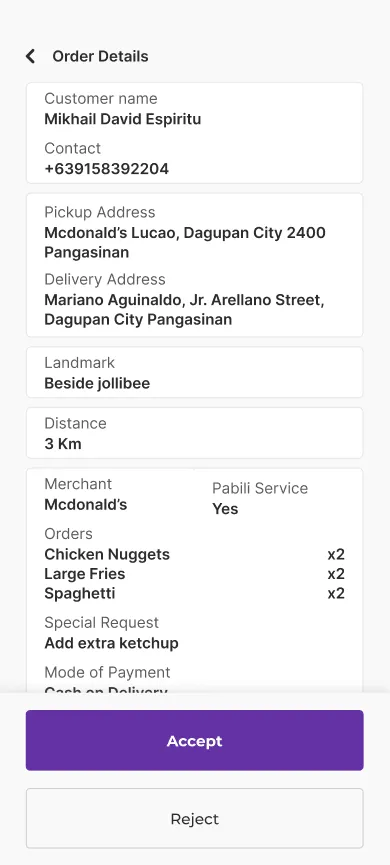
In a province of the Philippines, a small fleet business was drowning in delivery and pick-up requests. They wanted to grow, but their dispatching ran on group chats and good memory, and that only scales so far.
We talked to the two people who’d live in this product every day. They want completely different things, so the design had to work for each of them on their own terms. Dispatchers: at a desk, assigning and tracking orders all day. Drivers: out on the road, just want to see the next task and accept it without fuss.
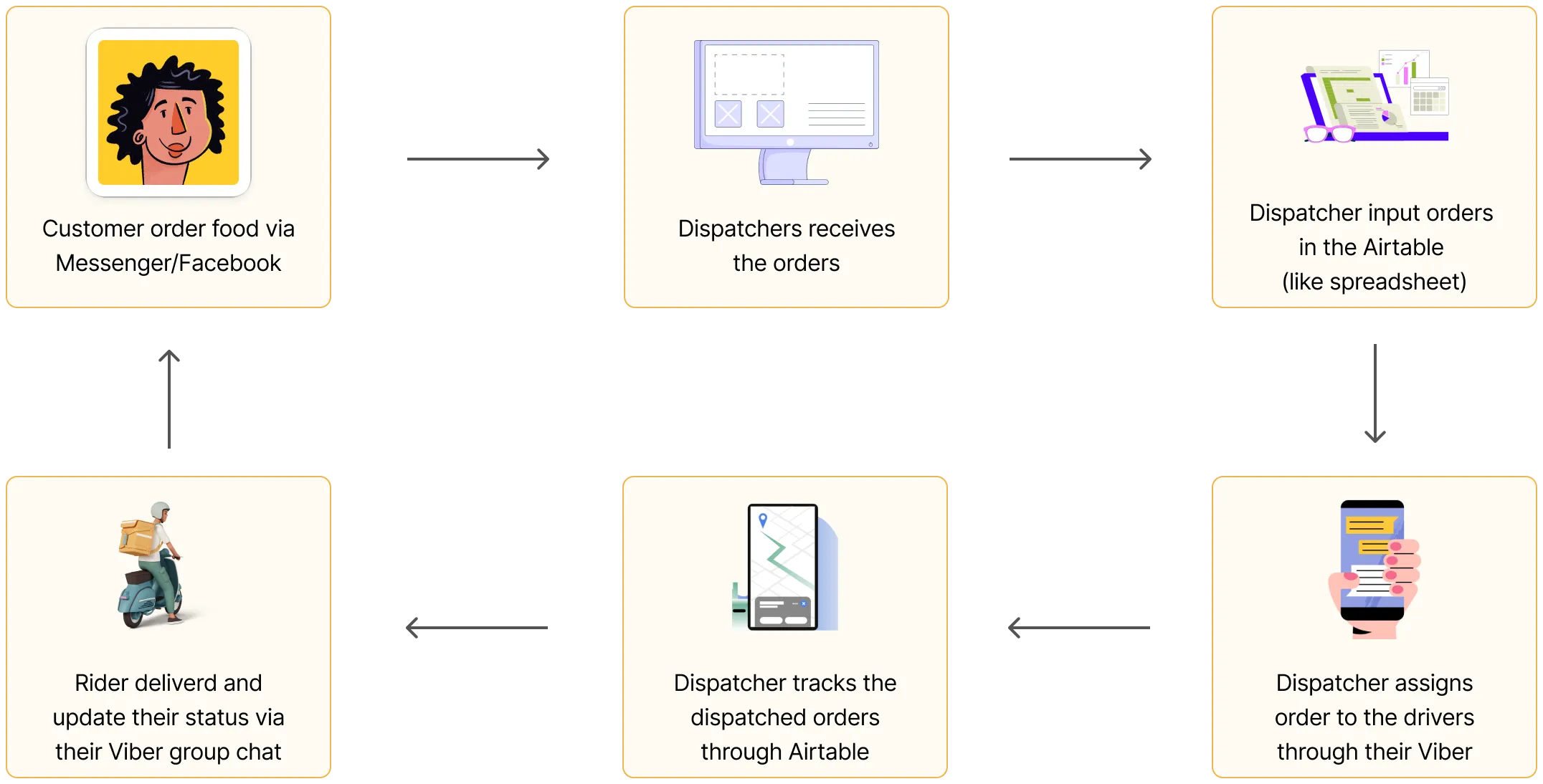
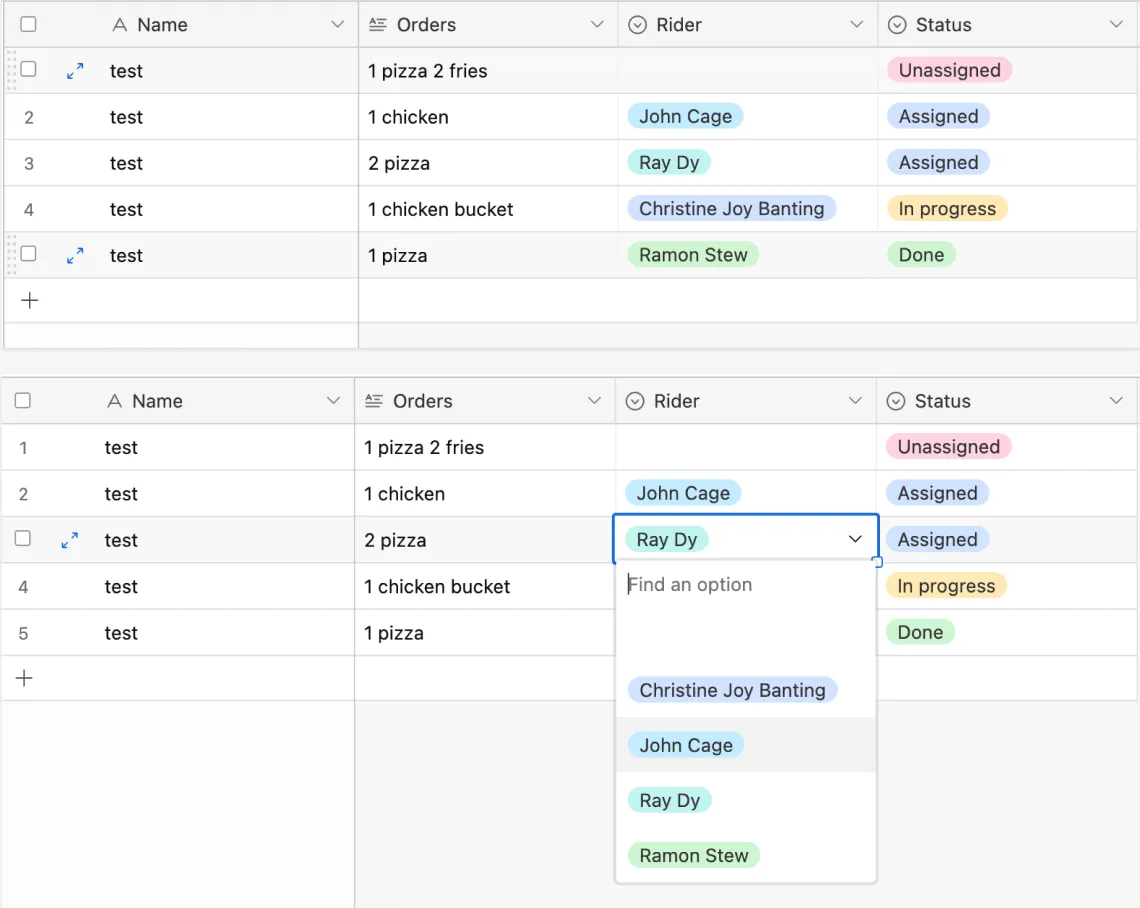
Dispatchers tracked every order in this Airtable base and assigned riders from a dropdown, then messaged each driver on Viber by hand.
Interviewing the admins and drivers gave us a clear picture of where the current process was breaking down.
How might we make dispatching smoother and stop orders from being missed, for a calmer, more reliable experience?
I leaned on Jakob’s Law. People spend most of their time on other tools, so they expect yours to work like the ones they already know. The dashboard borrows patterns dispatchers were already comfortable with.
Dispatching is the core action. A rider is assigned right from the table with one dropdown and no context switch, and the moment a rider is picked the order flips from unassigned to assigned and the driver gets the task.
| Order ID | Customer Name | Assigned | Picked Up | Status | Rider | Actions | |
|---|---|---|---|---|---|---|---|
| 108 | Jenny Crisostomo | 12/16/202210:05 AM | 12/16/202210:15 AM | Assigned | John Dela Cruz | View Order••• | |
| 107 | Jenny Crisostomo | 12/16/202210:05 AM | 12/16/202210:15 AM | Assigned | Juan Carlo San.. | View Order••• | |
| 106 | Jenny Crisostomo | 12/16/20229:38 AM | 12/16/202210:20 AM | Assigned | Mike Ramos | View Order••• | |
| 105 | Jenny Crisostomo | - | - | Unassigned | View Order••• | ||
| 104 | Jenny Crisostomo | - | - | Unassigned | + Assign a rider | View Order••• | |
| 103 | Jenny Crisostomo | - | - | Unassigned | + Assign a rider | View Order••• | |
| 102 | Jenny Crisostomo | - | - | Unassigned | + Assign a rider | View Order••• | |
| 101 | Jenny Crisostomo | - | - | Unassigned | + Assign a rider | View Order••• | |
| 100 | Jenny Crisostomo | - | - | Unassigned | + Assign a rider | View Order••• |
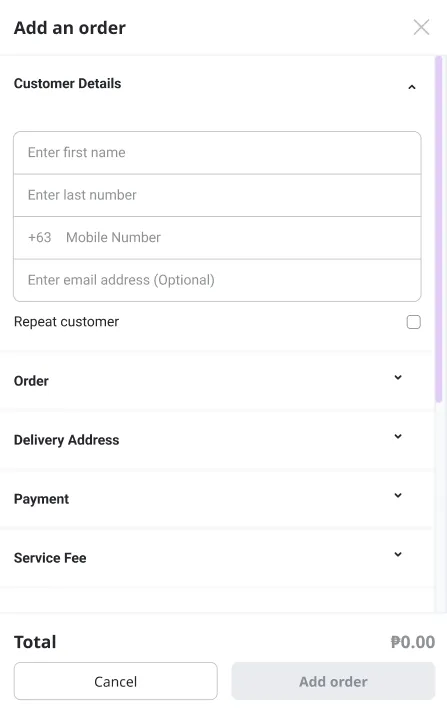
The “add an order” form was the hard one, with a lot of fields to fill in. I grouped them into categories you expand with a click, which cuts the clutter and the cognitive load.
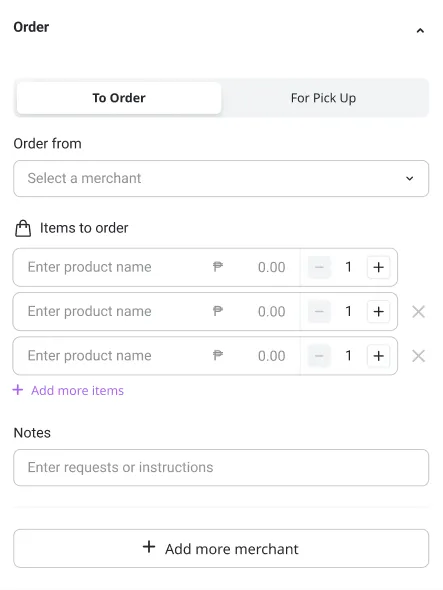
In the Philippines there’s a word for this: pabili. You ask someone heading out to buy something for you, like groceries, and bring it back. It’s an everyday favour between neighbours. The “To Order” tab is built around exactly that: the dispatcher tells a driver what to buy, and the driver shops and delivers it in one trip.
For drivers the brief was simple: a clean, obvious interface to accept pick-up and drop-off requests, so nothing gets missed. It talks directly to the same system the dispatchers use. The order arrives the moment a dispatcher picks the rider, and the driver walks it from accept to delivered, photo proof and all.

The redesigned dashboard automates the parts that used to be manual, so dispatchers can assign and track work with far less room for error. And because the driver app shares the same system, drivers get their tasks in real time. That means fewer missed orders, smoother handoffs, and a fleet operation that finally scales with the business.