CLVR Benefits: Marketing website

Designing a website for founder-led sales

Most of CLVR’s customers met the CEO before they ever saw the website.So what is a website for, when sales happen face to face?
clvrbenefits.com
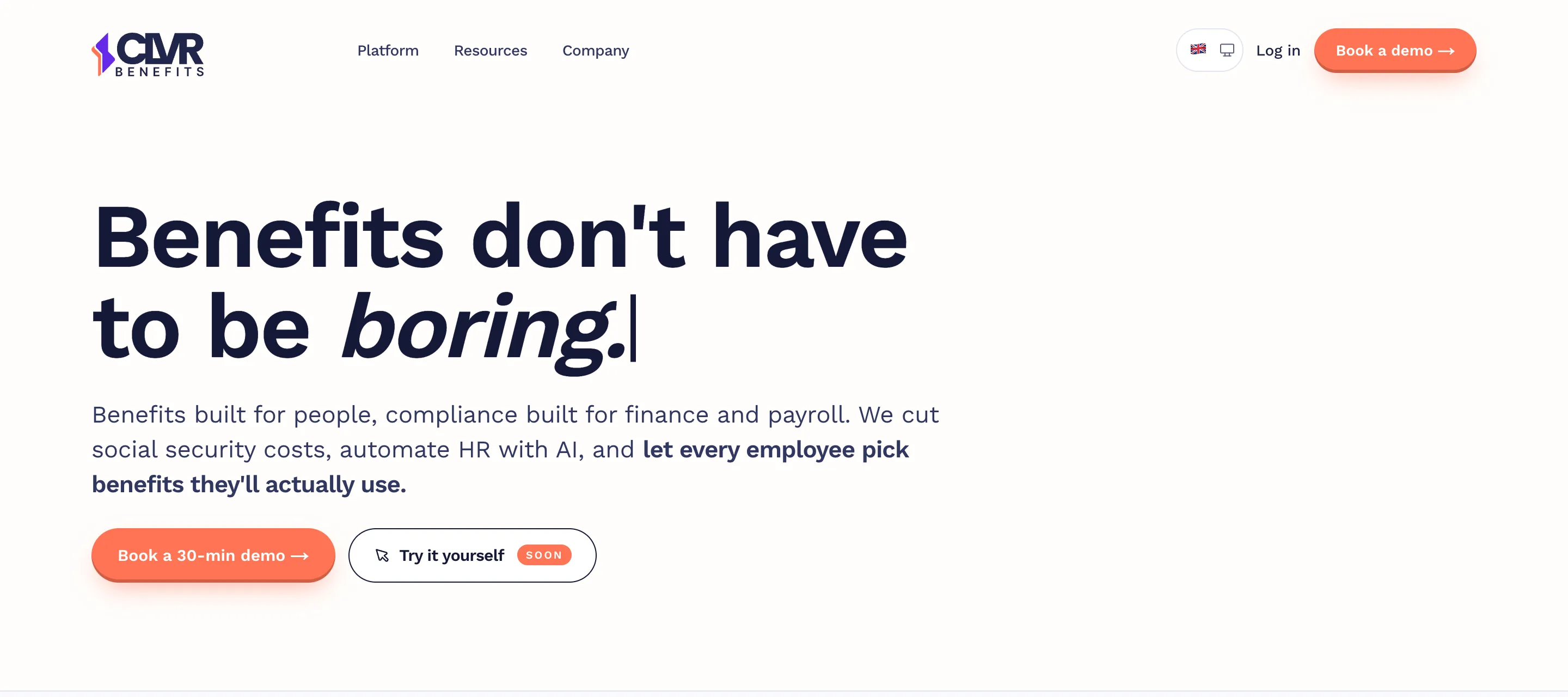
The CLVR Benefits homepage today: Benefits don’t have to be boring, with Book a 30-min demo and Try it yourself.
Role
UX/UI Designer
Team
CTO & engineers CEO
Scope
Website redesign Design library
Type
B2B SaaS
Outcome at a glance
Help center
Self-service support for a small team
Better SEO
0 → 193 help center pages in Google search within 4 months
Design library
New features added without redesigning the page

CLVR is an early-stage flexible benefits platform for Swedish employers. Sales are founder-led: the CEO brings in customers through seminars, LinkedIn and her network.

How customers find us
They meet the CEO first, then look CLVR up.
The competition
From big benefits portals to friskvård apps, and many companies still use Excel.
Seminars LinkedIn Network
My role

I was the UX/UI designer for both the web app and the marketing website, working closely with the CTO and engineers from wireframes to handoff.

The challenge

Every new feature risked becoming one more section.

The website and the product grew together. As we added new features, like the AI assistant and a much easier receipt upload, the website had to keep up and showcase them. The risk was that every new feature became one more section, until the page turned into a list of everything instead of a clear story.
01
Launch
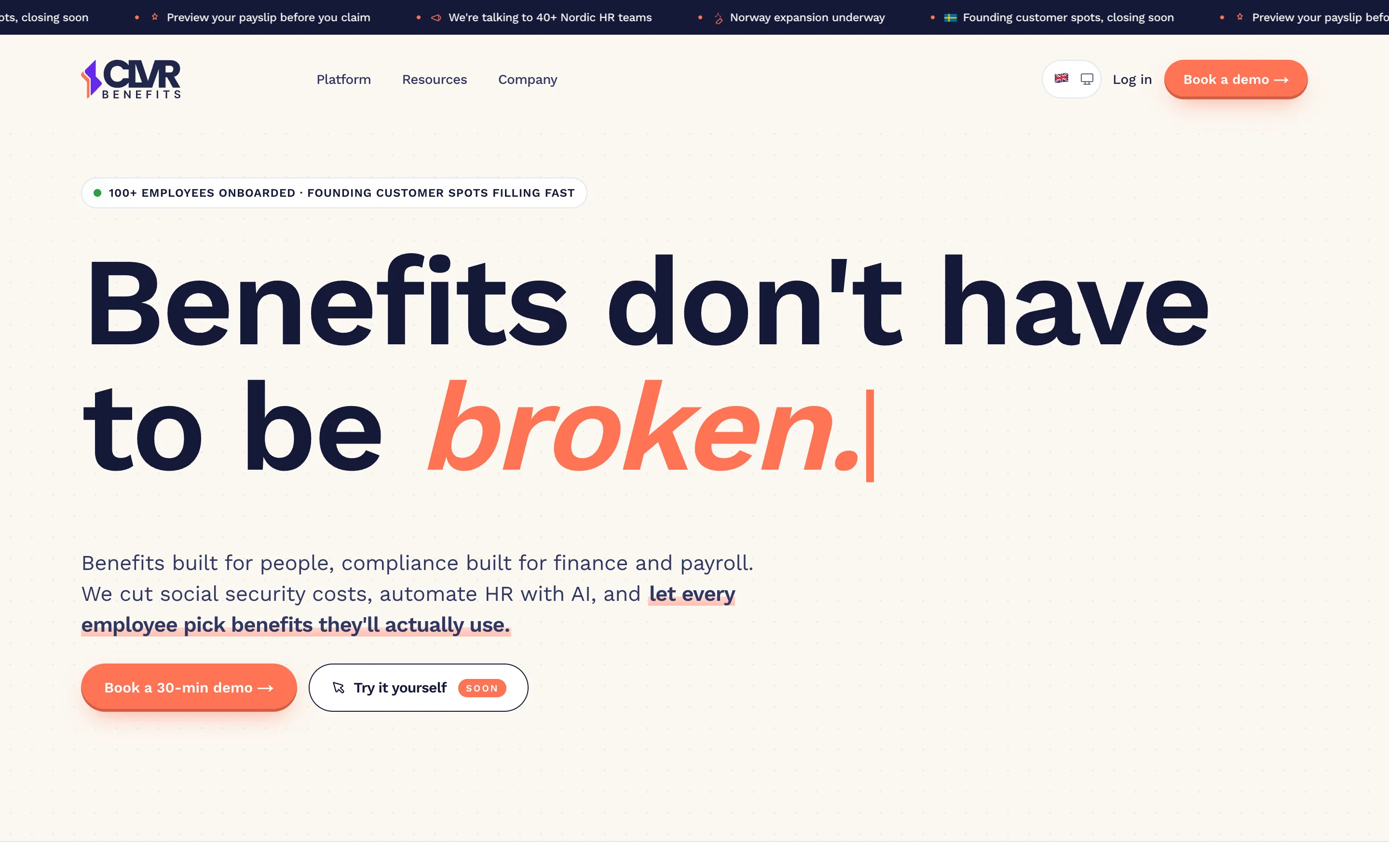
The CLVR website at launch: Benefits don’t have to be broken, with Book a 30-min demo.
02
AI assistant
The product section on the website showing the AI assistant answering Can I expense this?
03
Easier receipt upload
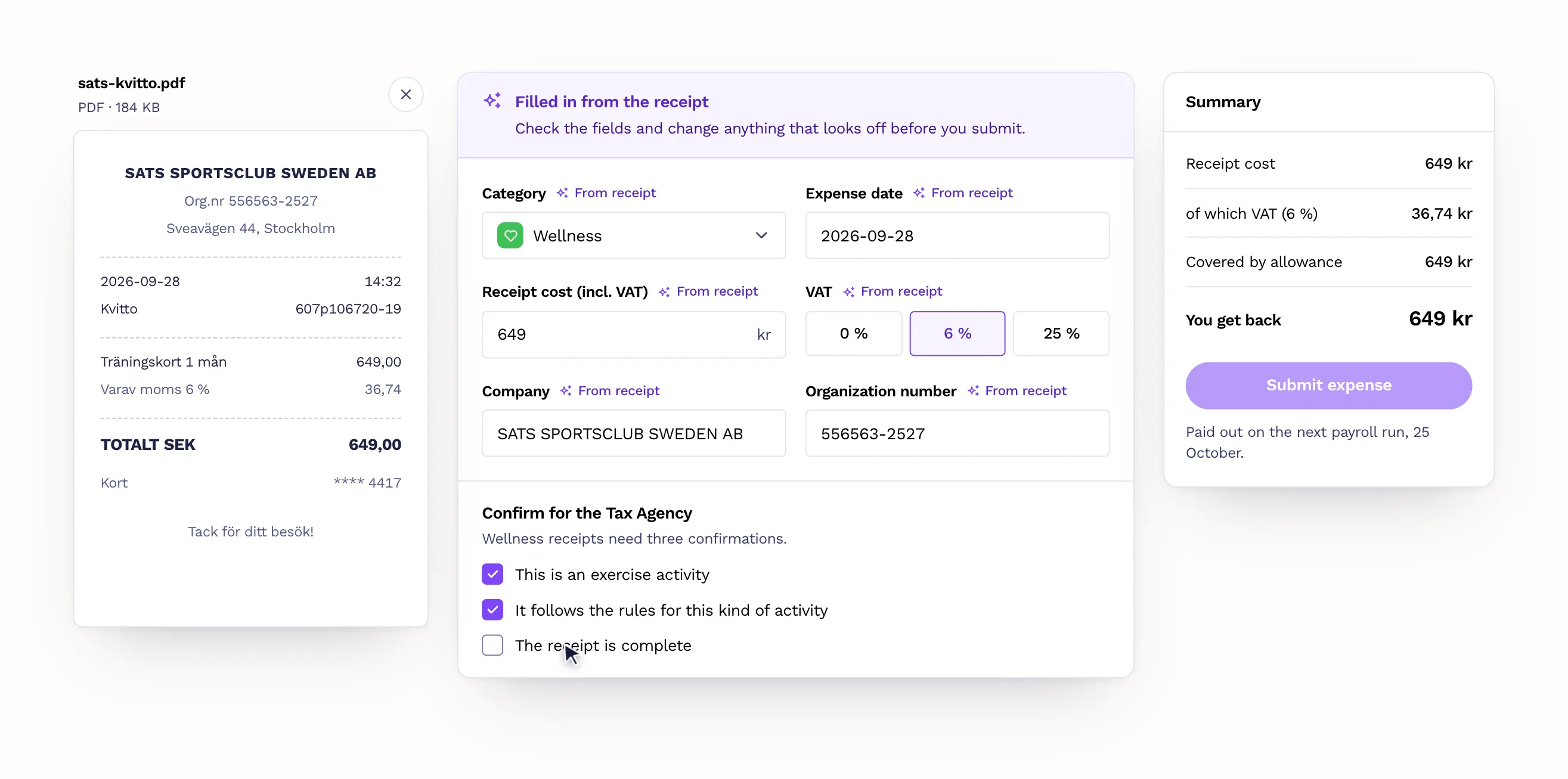
The product section on the website showing the one-page receipt upload, with fields filled in from the receipt.
04
Help center
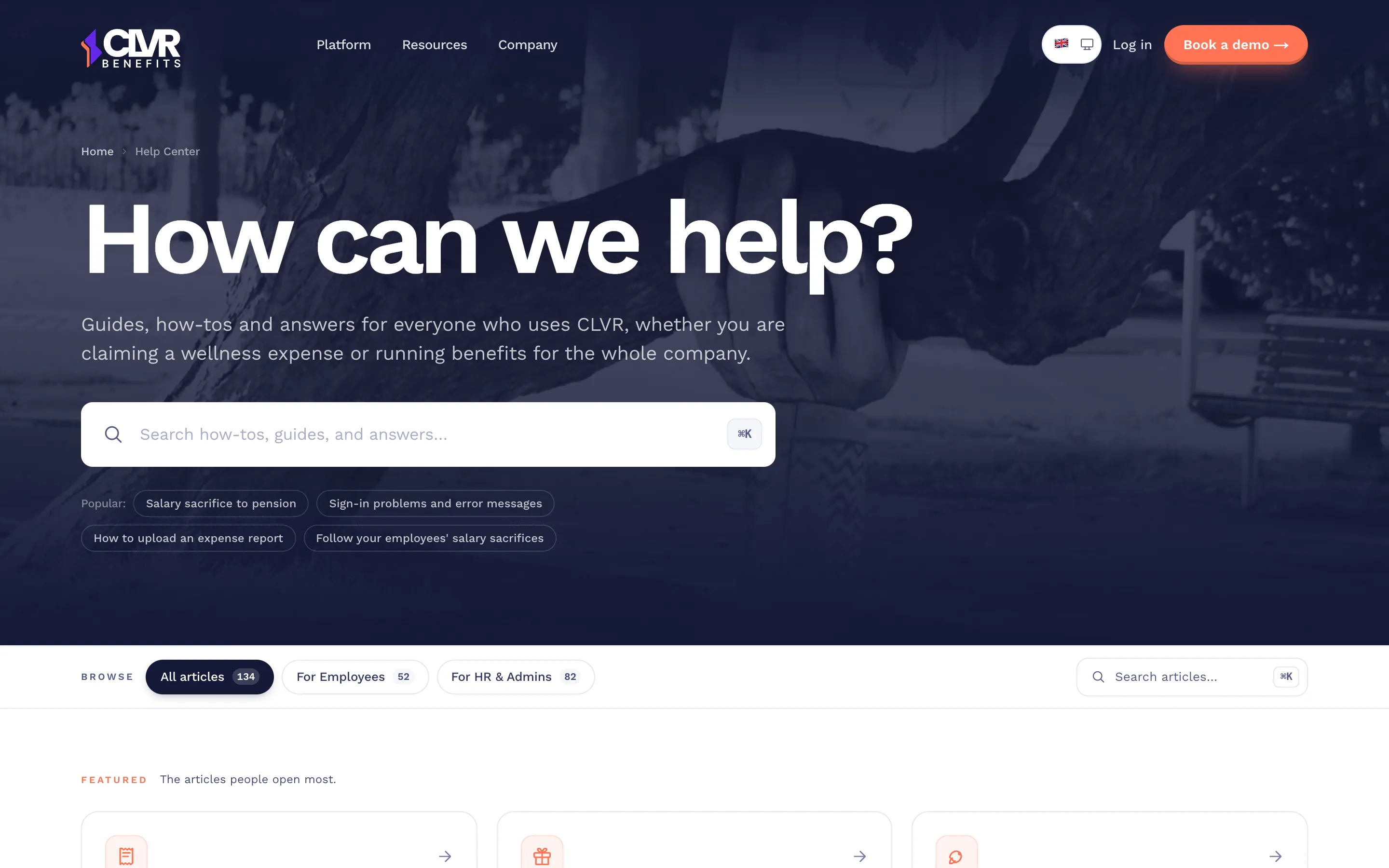
The CLVR help center: How can we help?, with a search field and articles for employees and HR admins.
Reframing the goal

The website’s job wasn’t to convince strangers. It was to confirm what visitors had already heard.

Meets the CEOSearches CLVRVisits websiteUnderstands quicklyBooks a demo
Decisions

Three decisions kept the page clear while the product kept growing.

01. A stable structure that new features slot into

The page follows a fixed story: the problem, how CLVR works, the features, proof, and a demo.

New features get added inside the features section instead of becoming new sections, so the page stays clear as the product grows.

01The problem
02How CLVR works
03The features
AI assistantReceipt upload
04Proof
05Book a demo
02. A focused glimpse of each feature

Instead of showing the whole platform, each feature got a cropped UI fragment in an accordion, inspired by GitHub and Atlassian.

Upload a receipt. Category, amount and VAT are filled in, then checked and approved automatically.

Receipt upload: the receipt, the form filled in from it, and a summary of what you get back.

Build an approval flow in four clicks. Payroll codes, allowances and benefit rules are just as plain: every setting says what it does.
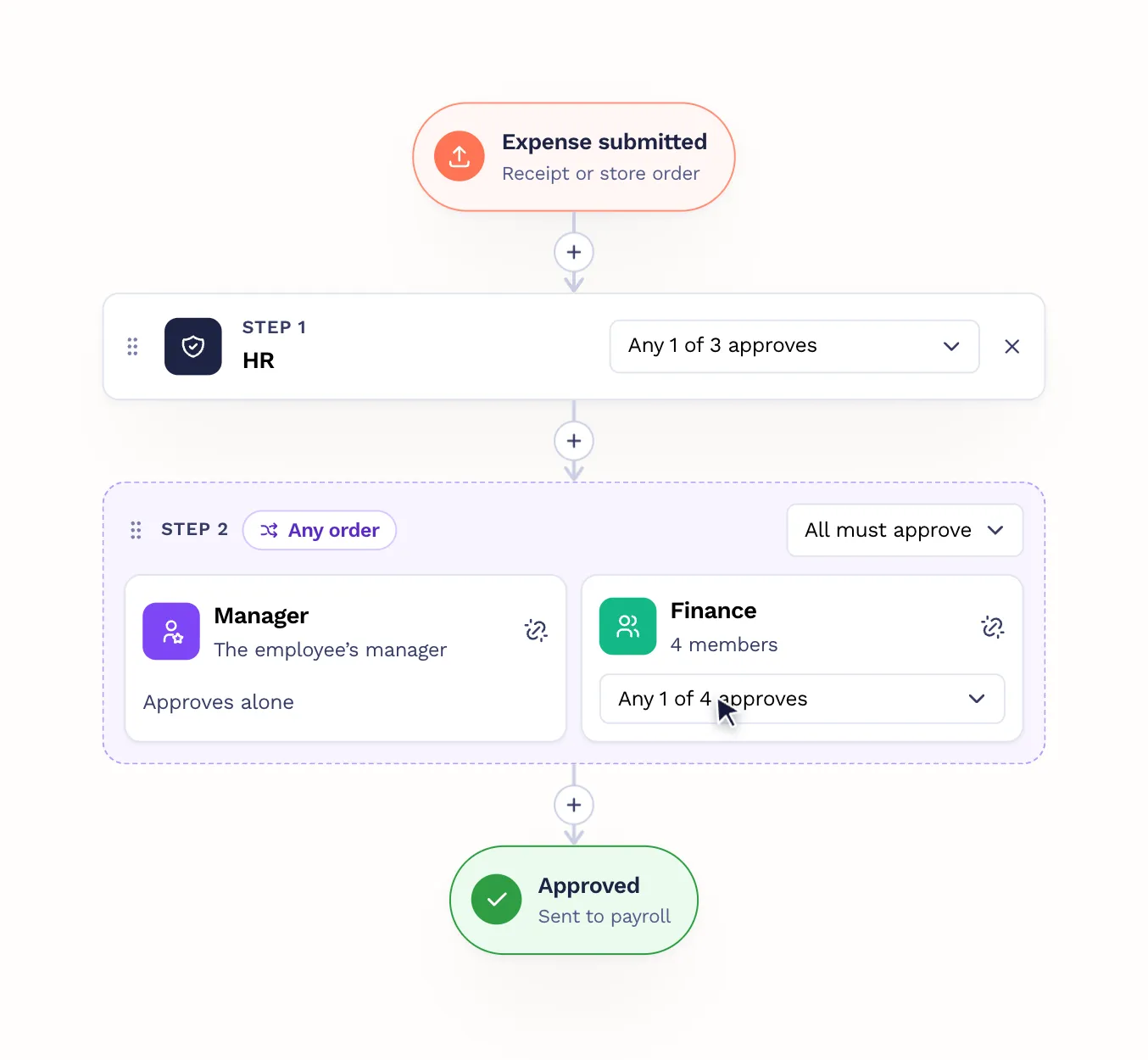
An approval flow built from steps: HR first, then the manager and finance at the same time.

Everything waiting on you in one list. Approve or send it back in a click. People and payroll work the same way.
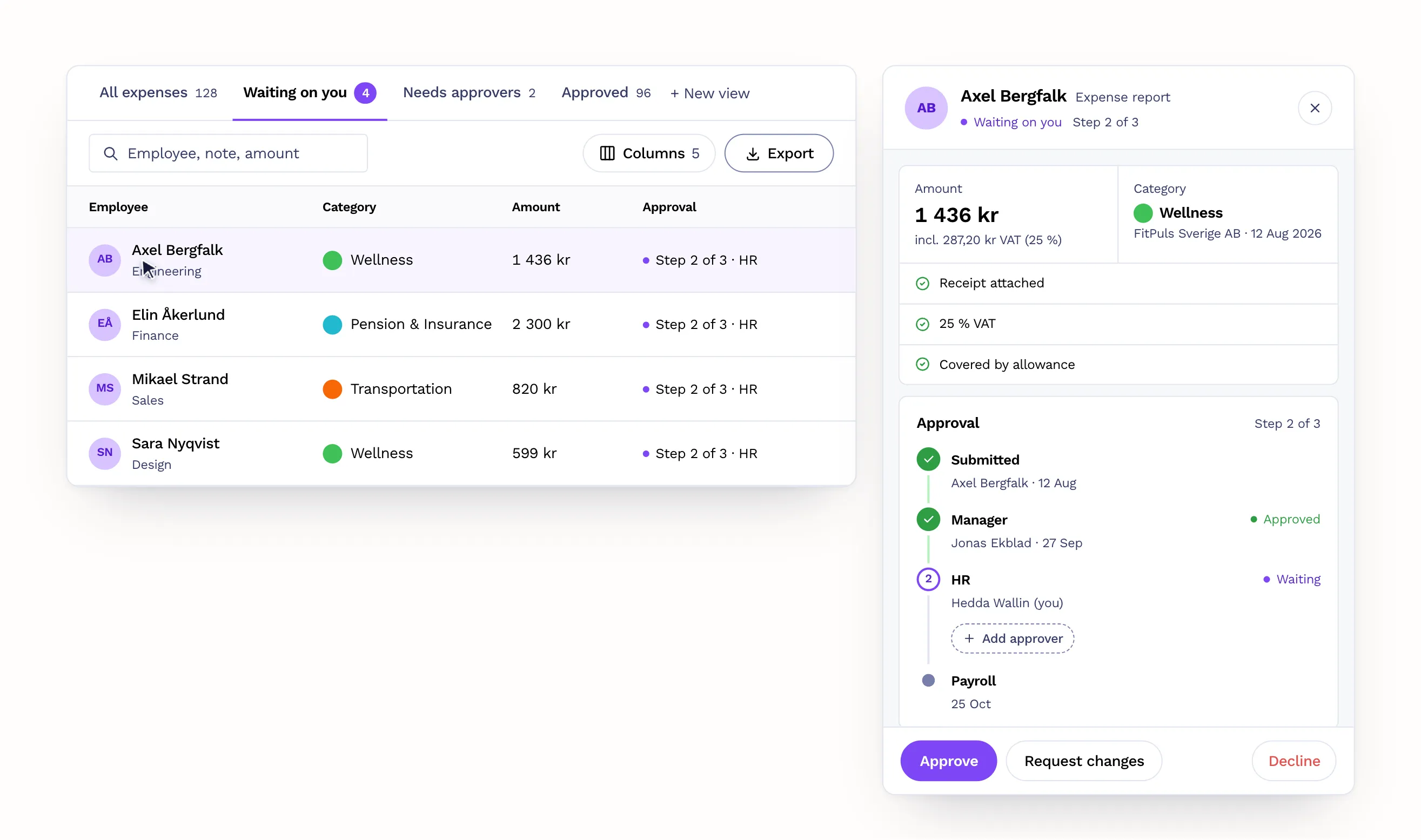
A list of expenses waiting on HR next to one expense report with Approve, Request changes and Decline.

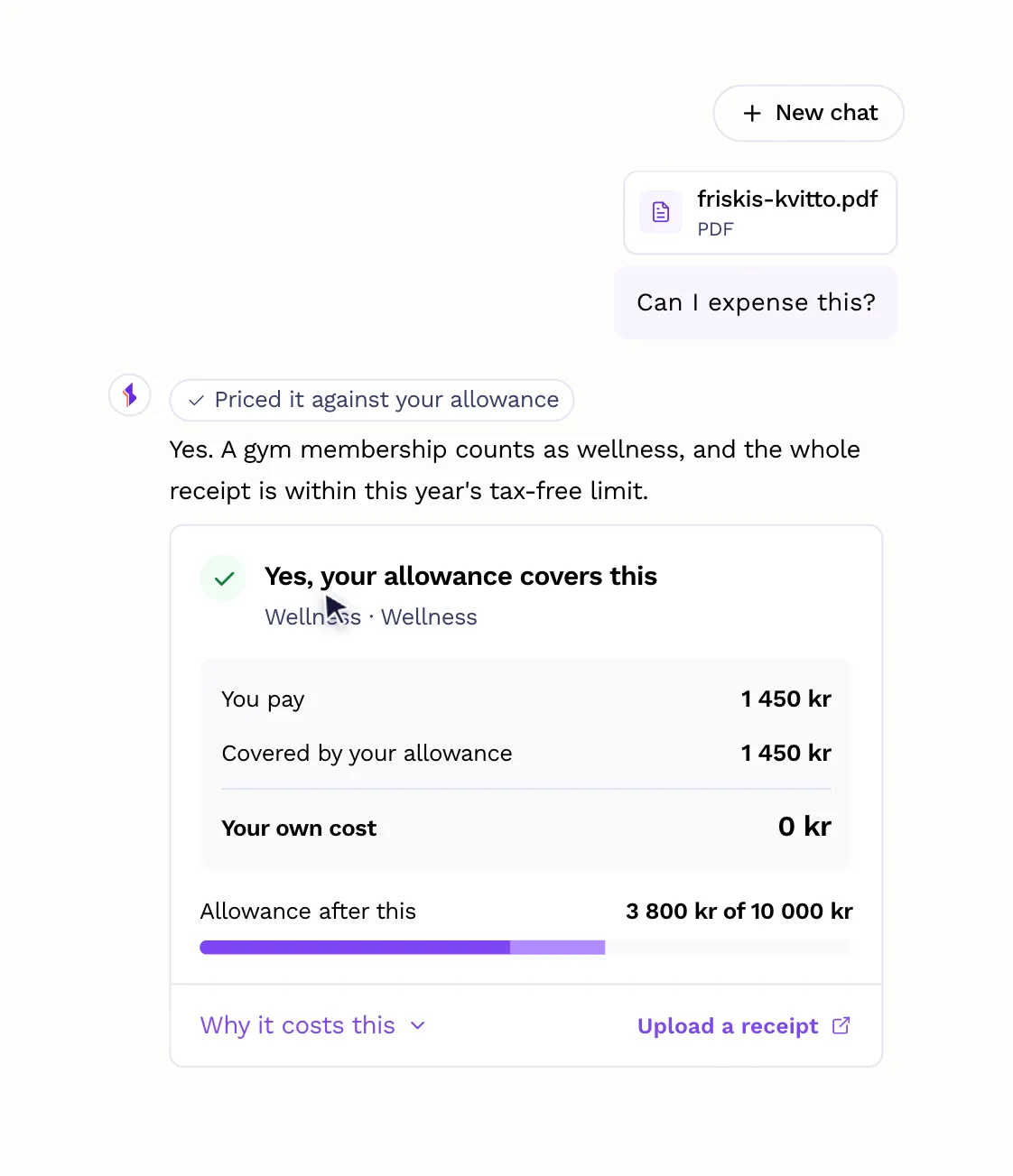
Answers about your benefits, your allowance and the page you are on, with your own numbers.

The AI assistant answering whether a gym receipt can be expensed, with a card showing the allowance covers it.
03. Proof and reusable building blocks

Trust signals for visitors checking us out, a blog for search and AI discovery, and a design library so the site can keep up with the product.
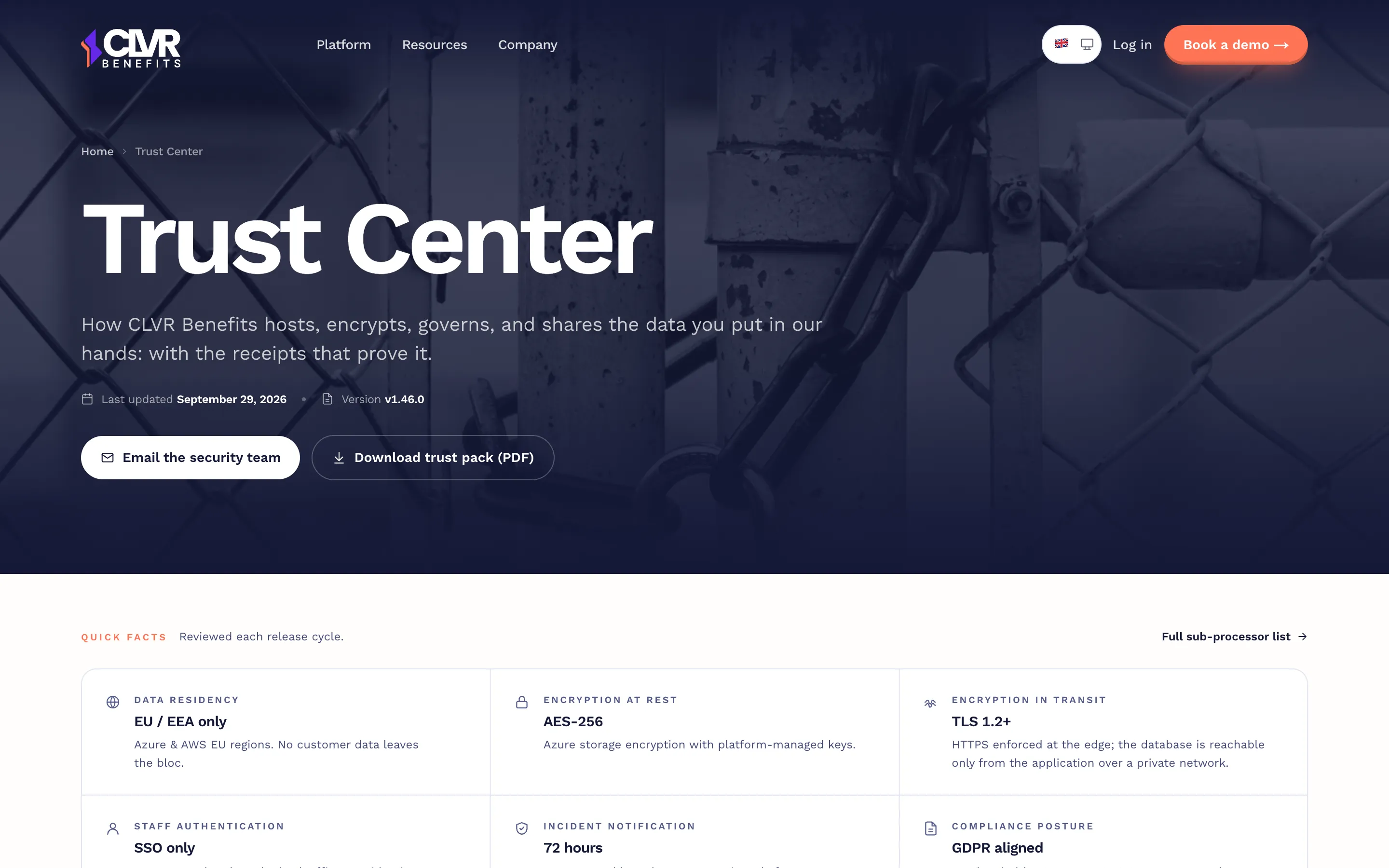
The CLVR Trust Center: how CLVR hosts, encrypts and shares data, with quick facts like EU data residency and encryption.
Trust signals
For visitors checking us out.
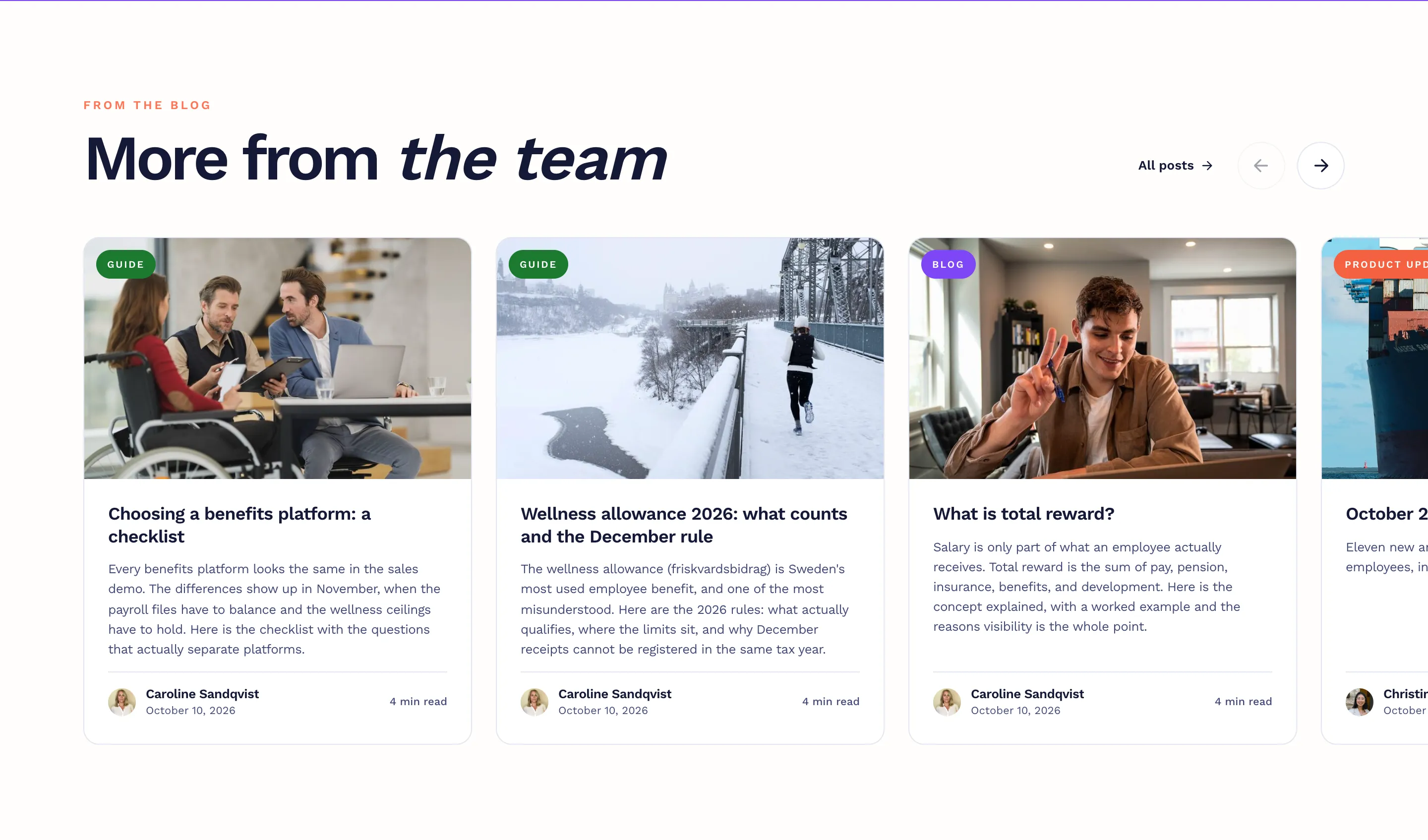
The blog section on the homepage: More from the team, with guides about benefits.
Blog section
For search and AI discovery.
Outcome

A help center made support self-service.

With a small team, we couldn’t answer every user’s question, so we added a help center. It made support self-service, and it made CLVR more visible in search: within 4 months, 193 help center pages were showing up in Google.
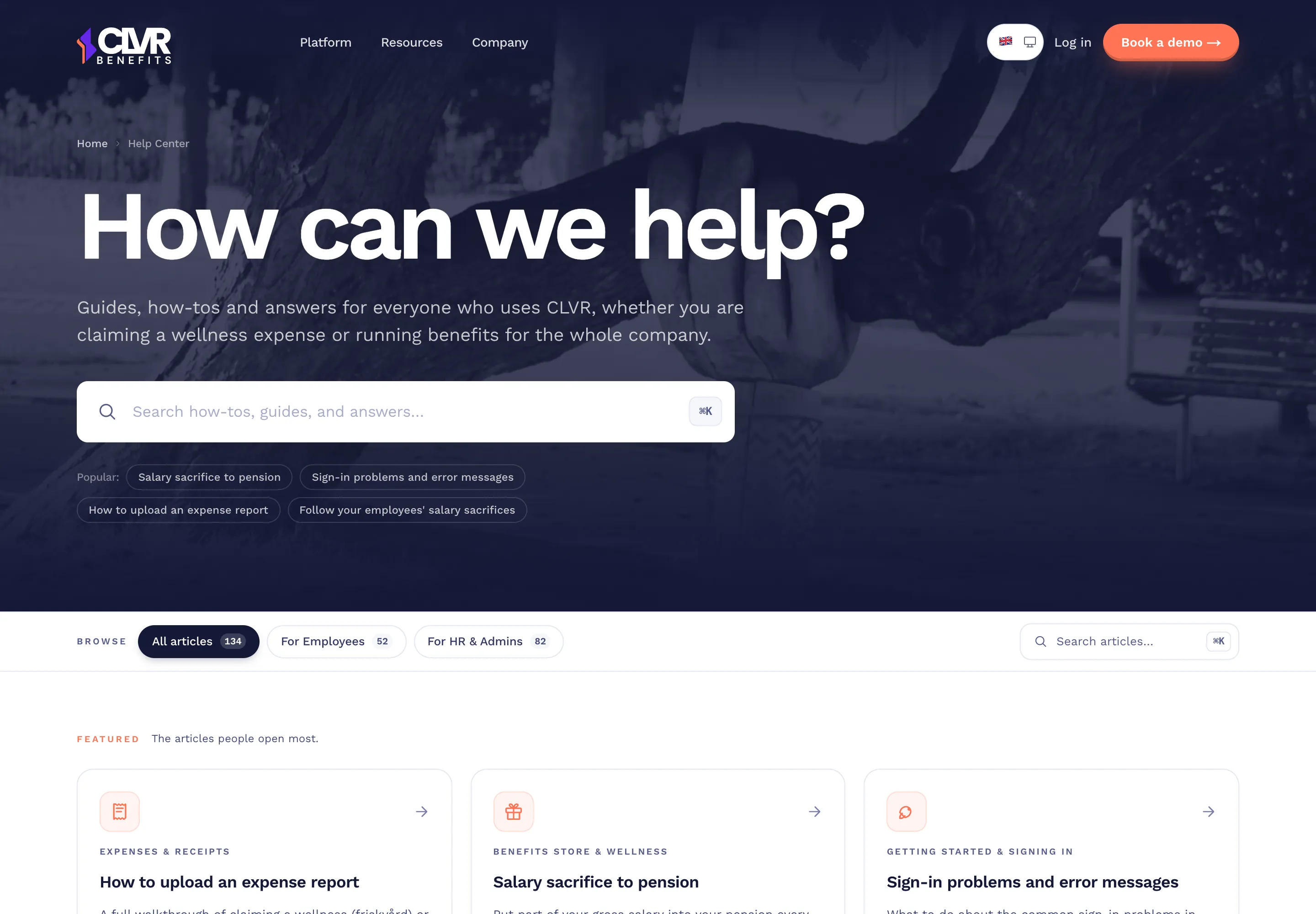
clvrbenefits.com/help-center
The CLVR help center: How can we help?, a search field with popular searches, filters for employees and HR admins, and featured articles.

We didn’t track the website from day one. It was a deliberate trade-off while the focus was the product.

Reflection
NEXT TIME
Analytics from the start
I’d set up basic analytics from the start.
NEXT TIME
Talk to visitors
I’d talk to people who visited the site after meeting the CEO, to learn what they were looking for.
TAKEAWAY
Find the real job first
Understand the real job a product has, then design for it.
The website today

Scroll through the whole homepage.

clvrbenefits.com
The full CLVR Benefits homepage: hero, benefit categories, the product section, the ROI calculator, features, cash bonus vs benefits, going European, the founding customer offer, the blog, and the closing demo form.
Next case studySevaxa Landing Page →