CLVR Benefits

Personalized benefits, simplified. Everyone builds their own package — the tax complexity stays out of sight.

clvr.app/dashboard

Hej Anna! You have 5 000 kr left.

Spend your benefit allowance before 31 dec 2025 — unused kronor don't roll over.

Mandatory Benefits2 000 kr
Wellness1 500 kr
Home & Free-time500 kr
Unused Benefits1 000 kr left
Role
UI/UX Designer
Brief
Design the employee experience for a platform where every benefits package is different
My contribution
Wireframes UI design Design system Components
Platform
SaaS web platform

Flexibility is the whole point of CLVR. Every employee shapes their own benefits package around what they actually use — don’t touch the gym membership? Move that allowance toward running shoes instead. But the same flexibility, at scale, creates a hidden problem.

The value
People spend their allowance on what they need, not on a fixed package someone else picked for them.
The complexity
Every benefit category is taxed differently under Swedish law. Multiply that across thousands of employees making individual choices and the compliance math multiplies fast.
Plussa
Wellness
Remaining Allowance5 000,00 kr
Paid from Salary:990,00 kr
(no social fee)
Total Cost:990,00 kr
Payment Method
Benefit Allowance
Use your allocated benefit allowance
Salary Deduction
Deduct from your next paycheck
The objective

Keep the complexity invisible — without ever letting it become inaccurate.

Employees should never see tax tables or category rules. The platform’s job is to hold all of that correctly behind the scenes and surface only what someone needs to make a decision: how much they have, and what they can do with it.

Wireframes

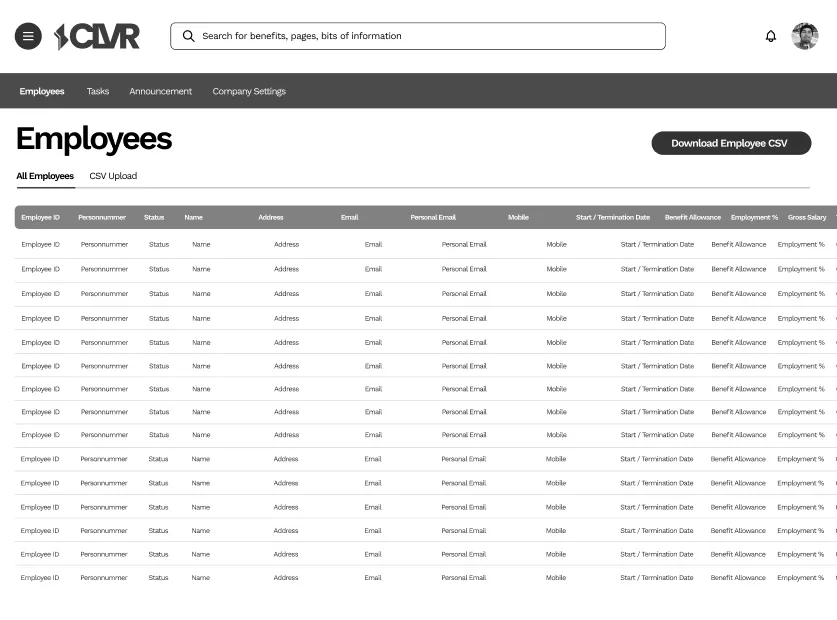
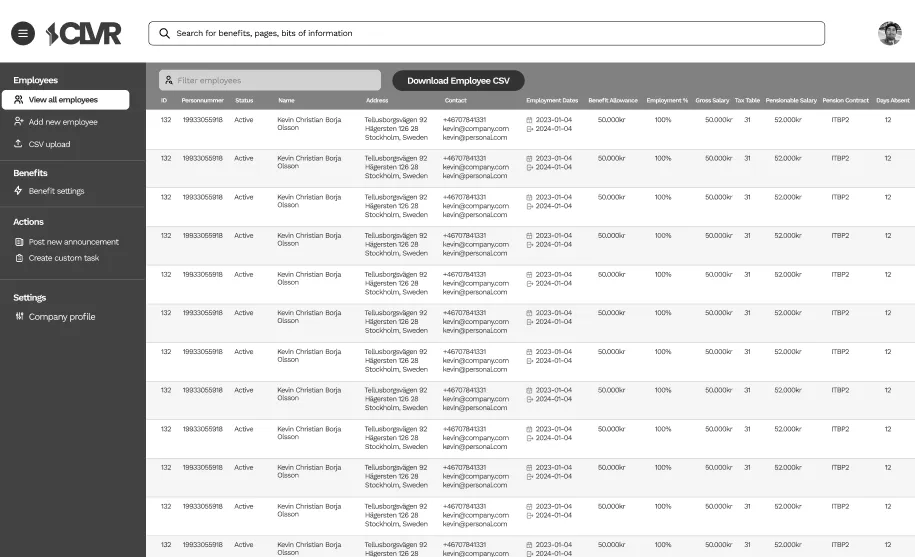
I started with low-fidelity wireframes — a blueprint for the platform that mapped the structure clearly before any of the visual design went in. They covered both sides of the product: what employees see, and how HR and admins manage it underneath.
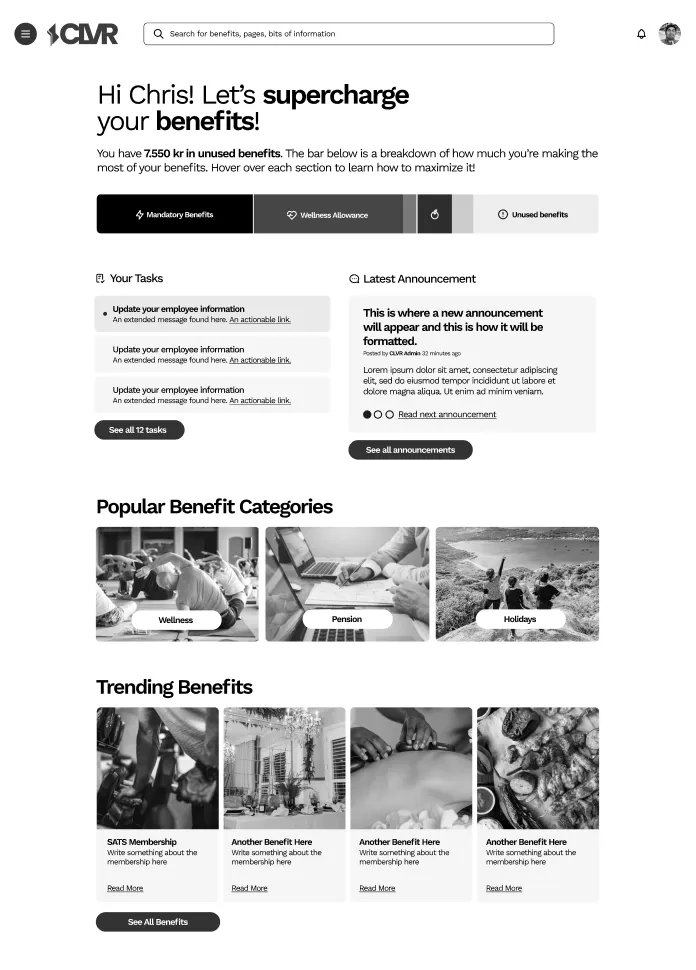
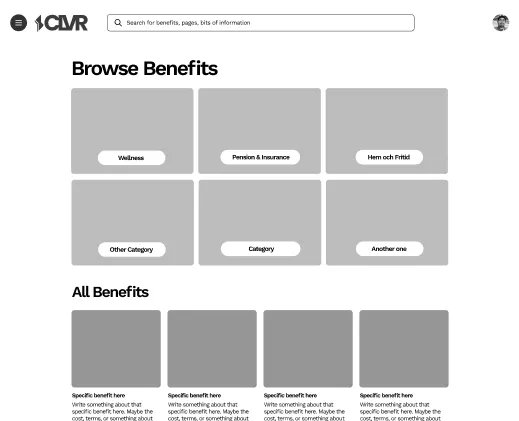
The homepage

Everything came together on the employee homepage. A single glance shows what’s been allocated, what’s still left to spend, and the deadline to use it — then the categories below turn that balance into something to actually do.

app.clvr.io/dashboard
01Employee dashboard — benefit balance, upload, and curated categories.
Features

Three things employees do most — made effortless.

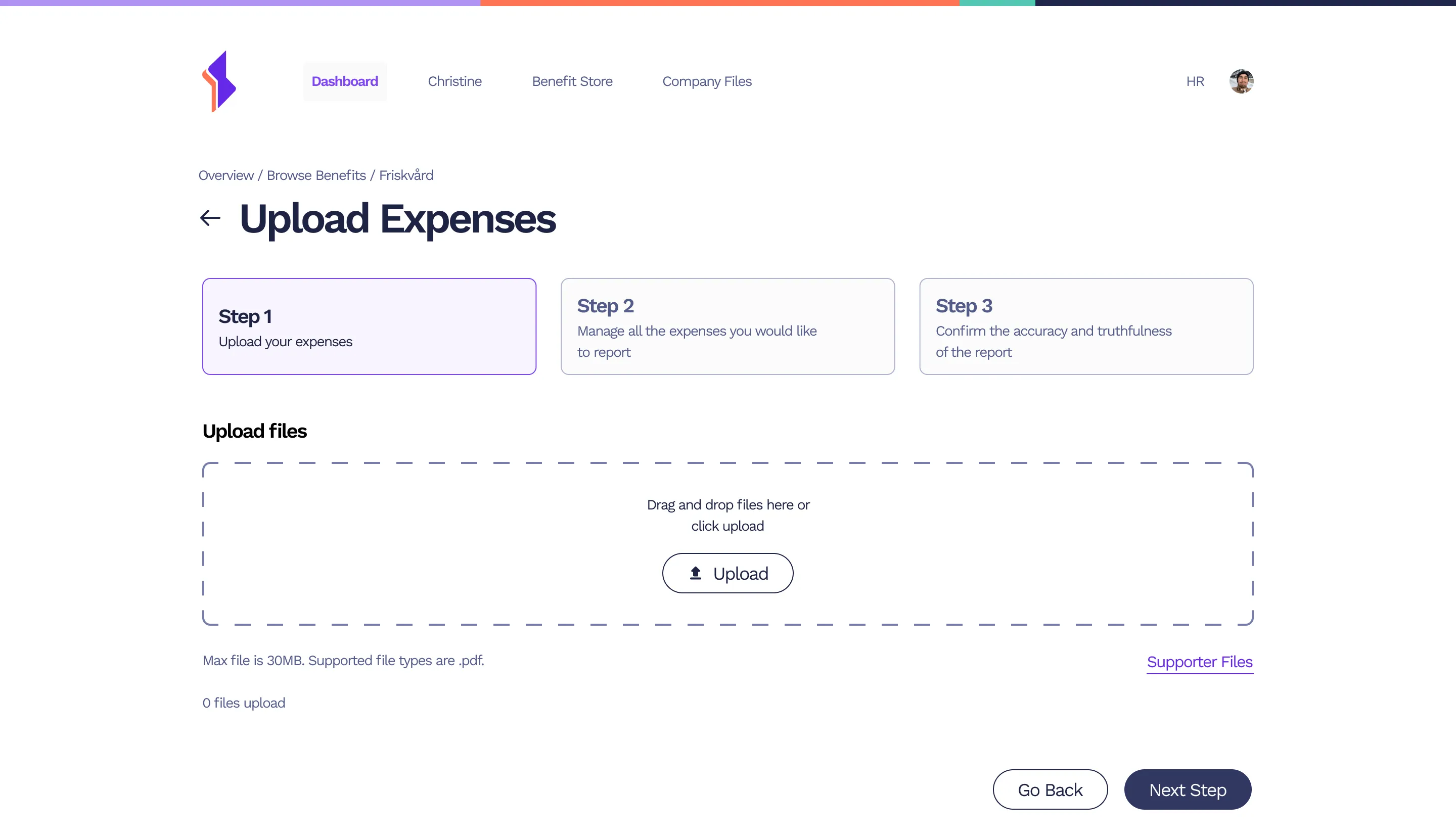
01 — Uploading expenses

Employees can upload receipts they think are eligible for reimbursement — no email threads, no chasing.

app.clvr.io/expenses/new
Upload Expenses — drag-and-drop receipt flow
02 — Viewing your benefits

Everything in one place — pending, past, and current benefits, all at a glance.

app.clvr.io/benefits
My Benefits — pending, past and current benefits
03 — Customising your benefits

People tailor their package to their own needs, and access it all straight from the platform.

app.clvr.io/benefits
CLVR Benefit Store — browse categories and trending benefits
Handling the tax complexity

One line, not a tax return.

Every benefit category carries its own VAT and allowance rules under Swedish law. When an expense comes in, the platform does the math itself — it splits receipt cost from VAT, checks what the category’s allowance actually covers, and flags anything unusual. HR reviews a finished result, not a spreadsheet.

app.clvr.io/hr/expenses/review
01HR’s review screen. The platform has already computed VAT (6%), what the Wellness allowance covers (0,00 kr here), and what it doesn’t — landing on “649,00 kr will not be reimbursed,” plus a flag that 0% VAT would be uncommon.
And on the employee’s side
What the employee sees
649,00 kr won’t be reimbursedThis purchase isn’t covered by your Wellness allowance — VAT and tax already worked out.
A problem I found

Expenses everyone approved — and no one finished.

When an employee submits an expense, it moves through several approvers. Each relevant person signs off in turn, and then — after everyone has approved — someone still has to click a final Complete button to officially close it out.

In practice, HR often didn’t click Complete. Either they forgot, or they assumed the expense closed itself once everyone else had signed off. From user feedback and HR reports I kept hearing the same thing: expenses that were fully approved but never marked done.

It was a silent bottleneck. The expense sat in limbo — approved by everyone, completed by no one — and nobody noticed until the employee followed up asking where their reimbursement was.

app.clvr.io/hr/expenses/review
01The review screen after everyone signed off — “Approved 3 / 3.” It still doesn’t close until someone presses Complete, and that one manual step is the easiest thing in the flow to forget.
Expense #4821 · 500 kr — running shoes
Submitted
Anna · 2 May
Manager
Approved
Finance
Approved
Complete
1 action pending
How I’d address it
Remove the step — or make it impossible to miss
Auto-complete an expense the moment the last approval lands. If every approver has signed off, there’s nothing left to decide — the manual click only adds a place to get stuck. And if a final confirmation has to stay, show the last approver a clear “one action still pending” indicator and a notification — so the open step is visible instead of silent.
Impact
100s
personalized benefit combinations reconciled automatically across the company
0
tax calculations an employee ever has to make
1 line
communicates every balance and tax change, instead of a full breakdown
1 click
removed from the approval flow to kill the silent bottleneck
Next case studySevaxa Landing Page